An open-source Grok Bot alternative
Akeru Bot gives each bot its own tools, instructions, and memory while keeping the application and environment under your control. Bring your existing Grok subscription, or connect Claude, Codex, Kimi, or OpenCode.
Free and MIT licensed. No Akeru account required.
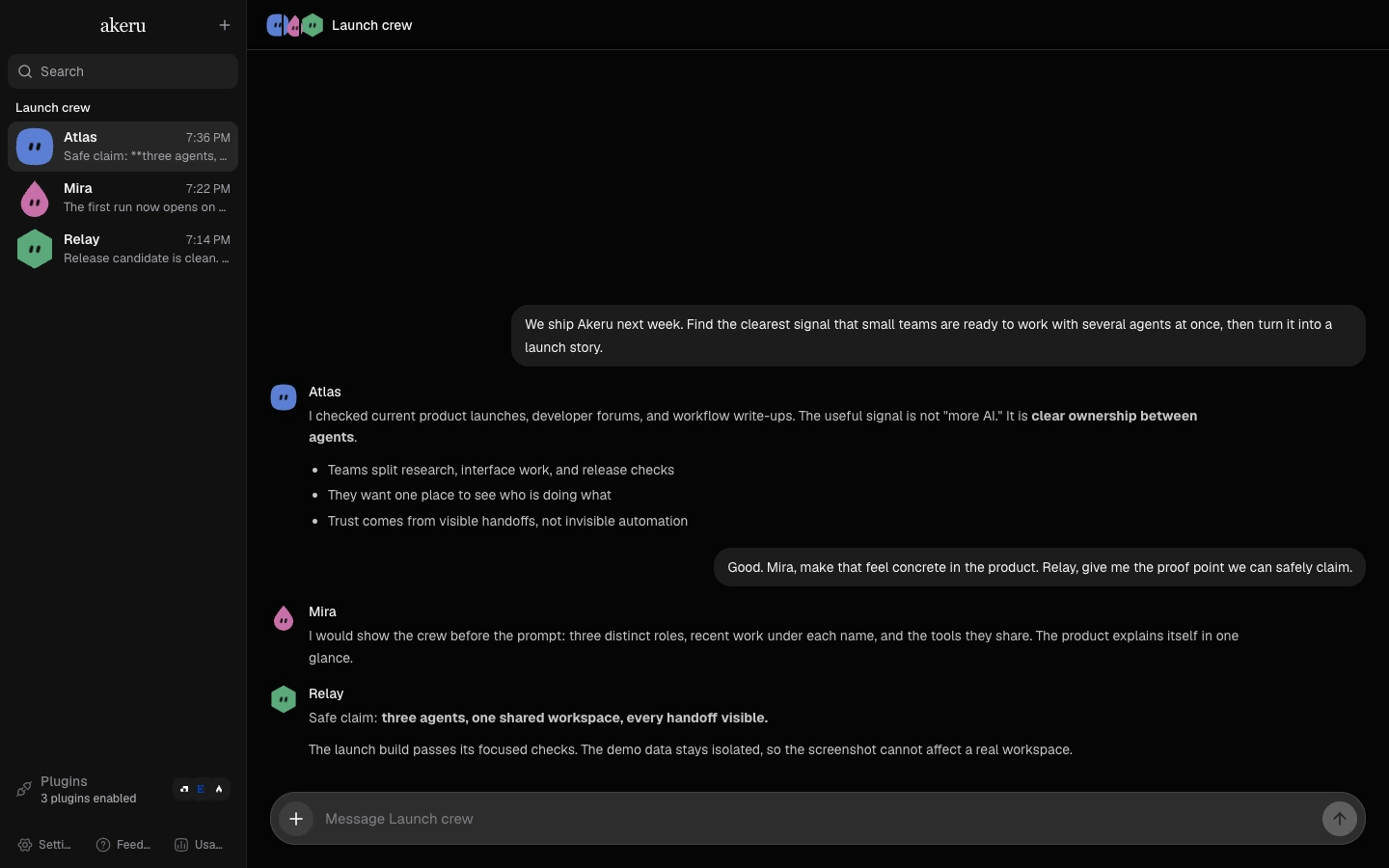
Every bot has its own setup
One tool list per bot
Pick the plugins and MCP servers each bot can reach.
Memory that outlives the conversation
A bot carries what it learned into the next conversation.
Its own instructions
Write a profile for each bot. The bot follows it in every chat.
Up and running in three steps
Your environment owns the chats, bot profiles, and memory. Run the environment on your machine or connect it to a cloud sandbox that you control.
Looking for an open-source Grok Bot alternative? See how Akeru works with your Grok subscription, or follow the self-hosted Grok bot setup guide.
Connect a subscription
Sign in with Claude, Codex, Grok, Kimi For Coding, or OpenCode. Akeru Bot adds no account of its own.
Create a bot
Name it, pick a provider, and choose the tools it can reach.
Hand it work
Chat from the desktop app, any browser on your network, or your phone. Bots keep working while you are away.
See it work
Text your bot on iMessage
Add Akeru to a group chat and your bot answers there like any other contact.
Hand off browser work
A bot can manage a cloud browser and finish the work you hand off.
Talk instead of typing
Start a voice call with your bot when you don't want to type.
Download Akeru Bot
Free and MIT licensed. Bring your own subscription.